Generating a Code 128 barcode with Python
pyStrich is a Python library for generating Code 128 barcodes, along with other 1D and 2D symbologies.
Code 128 is a high-density 1D barcode covering the full ASCII range. pyStrich automatically switches between code sets A, B and C to minimise symbol length, and computes the mod-103 checksum for you.
See also
Code 128 on Wikipedia for background on the symbology itself.
Code 128 barcodes are defined in ISO/IEC 15417.
Example
If you haven’t already installed pyStrich, you should do so – see Installation for more detail:
$ pip install pyStrich
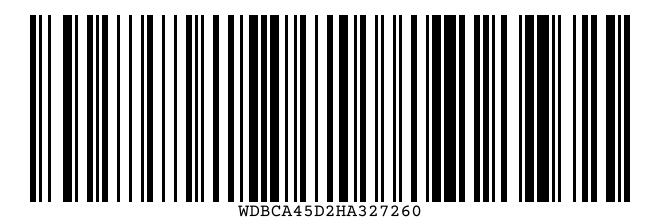
Here’s how to generate a Code 128 barcode and save it as an SVG:
from pystrich.code128 import Code128Encoder

encoder = Code128Encoder("WDBCA45D2HA327260")
encoder.save_svg("code128-example.svg")
GS1-128
See also
GS1-128 on Wikipedia for background on the GS1 variant.
GS1-128 is Code 128 with an FNC1 in the first data position, signalling
that the payload is a sequence of GS1 Application Identifiers.
Code128Data.gs1() builds the payload from typed field wrappers and
handles FNC1 placement automatically – one at the start of the message
and one after each variable-length Application Identifier that is not
the final element. Wrap each Application Identifier / value pair in
GS1Fixed for fixed-length Application Identifiers
((01), (17), (11) …) or GS1Variable
otherwise. The GS1 General Specifications recommend variable-length
Application Identifiers come last:
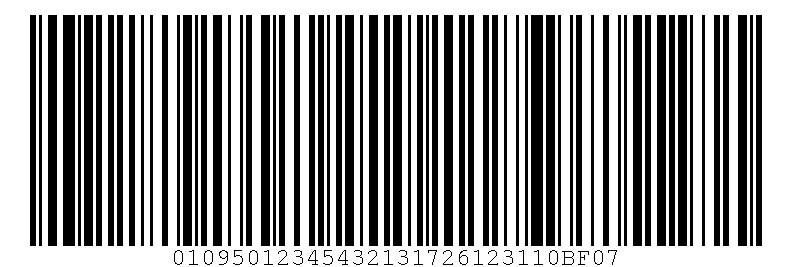
from pystrich.code128 import Code128Data, Code128Encoder
from pystrich.gs1 import GS1Fixed, GS1Variable

# (01) GTIN + (17) expiry YYMMDD + (10) batch
payload = Code128Data.gs1(
    GS1Fixed("01", "09501234543213"),
    GS1Fixed("17", "261231"),
    GS1Variable("10", "BF07"),
)
Code128Encoder(payload).save("code128-gs1.png")
For full control over the codeword stream – or to mix FNC2, FNC3 or
Latin-1 segments with the GS1 markers – pass FNC1 and the plain
Application Identifier / value strings to Code128Data directly;
this is the path gs1() wraps.
Latin-1 text
For Latin-1 input, wrap the payload in Code128Data with
encoding="iso-8859-1" (or auto_encoding=True). Bytes 128-255
emit an FNC4 single-shift on the wire; characters outside Latin-1 are
rejected.
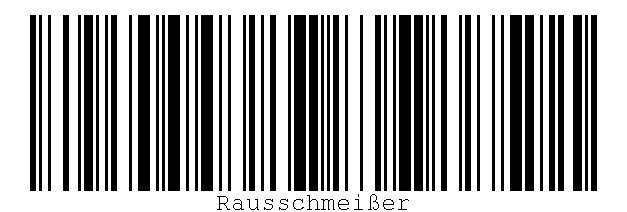
from pystrich.code128 import Code128Data, Code128Encoder

Code128Encoder(
    Code128Data("Rausschmeißer", encoding="iso-8859-1")
).save("code128-latin1.png")
Sizing, label, font and layout
The bar_width argument to save() and
get_imagedata() sets the pixel width of the narrowest
bar (default 3).
The options dict passed to Code128Encoder controls the
human-readable label and the surrounding layout. All keys are optional.
show_labelWhether to render the human-readable label underneath the bars. Defaults to
True; set toFalseto suppress it.ttf_fontAbsolute path to a TrueType font file used for the label. Defaults to a bundled bitmap font if unset.
ttf_fontsizeFont size in points.
heightTotal image height in pixels. Defaults to roughly a third of the image width.
label_borderPixels of vertical space between the bars and the label.
bottom_borderPixels of vertical space between the label and the bottom edge.
See also
Printing barcodes for guidance on selecting bar_width for printed
output.
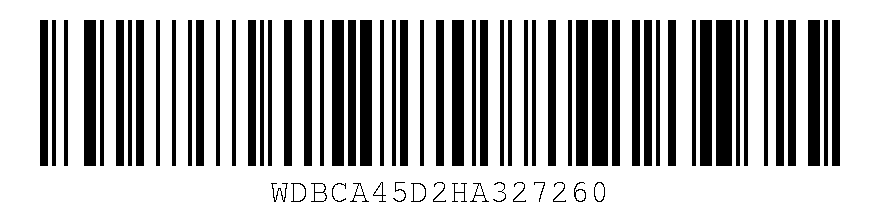
options = {
    "height": 200,
    "label_border": 10,
    "bottom_border": 10,
    "ttf_fontsize": 24,
    # "ttf_font": "/usr/share/fonts/truetype/dejavu/DejaVuSans.ttf",
}
encoder = Code128Encoder("WDBCA45D2HA327260", options=options)
encoder.save("code128-custom.png", bar_width=4)
Output formats
SVG output
For embedding in web pages or any workflow that benefits from
resolution-independent output, use save_svg() (or
get_svg() to receive the SVG as a string).
Code128Encoder("WDBCA45D2HA327260").save_svg("code128.svg")
The SVG’s viewBox is in module units (one narrow bar = one unit), while
width and height scale by bar_width. The 10-module quiet zones
mandated by the standard are applied automatically on each side.
Added in version 0.12.
PNG output
For raster output, use save() to write a PNG file or
get_imagedata() to receive the raw PNG bytes.
Code128Encoder("WDBCA45D2HA327260").save("code128.png")
EPS output
For embedding in LaTeX (\includegraphics) or other vector print
workflows, use save_eps() (or
get_eps() to receive the EPS as a string).
Code128Encoder("WDBCA45D2HA327260").save_eps("code128.eps")
The bar_width argument is the width of the narrowest bar in PostScript
points (1 point = 1/72 inch). The 10-module quiet zones are applied
automatically.
Added in version 0.12.
API
- class Code128Encoder(text: str | Code128Data, options: BarcodeRenderOptions | None = None)[source]
Bases:
Bar1DEncoderEncode a string as a Code 128 1D barcode.
Code sets A, B and C are switched between automatically to minimise symbol length. The mod-103 checksum is computed and appended for you.
Typical use:
encoder = Code128Encoder("nm0000385")
encoder.save("barcode.png")
- Variables:
text – The original input text.
encoded_text – List of code values produced by the text encoder, including start codes and code-set switches.
checksum – The mod-103 checksum value.
bars – The bar/space pattern as a string of
"1"and"0".options – Render-time options dict (empty if none were supplied).
width – Pixel width of the most recently rendered image.
0until a render method has been called.height – Pixel height of the most recently rendered image.
- get_eps(bar_width: int = 3, *, dark_hex: str | RGBA | None = None, light_hex: str | RGBA | None = None) str[source]
Render the barcode and return EPS markup.
- Parameters:
bar_width – Width in PostScript points of the narrowest bar.
dark_hex – Bar and text colour as a 3-, 6- or 8-digit hex string or an
RGBA. Defaults to black.light_hex – Background colour as a 3-, 6- or 8-digit hex string or an
RGBA, opaque. Defaults to white.
- Return type:
Added in version 0.12.
Changed in version 0.16: Added
dark_hexandlight_hex.
- get_imagedata(bar_width: int = 3, *, dark_hex: str | RGBA | None = None, light_hex: str | RGBA | None = None) bytes[source]
Render the barcode and return PNG bytes.
- Parameters:
bar_width – Width in pixels of the narrowest bar.
dark_hex – Bar and text colour as a 3-, 6- or 8-digit hex string or an
RGBA. Defaults to black.light_hex – Background colour as a 3-, 6- or 8-digit hex string or an
RGBA. Defaults to white.
- Returns:
PNG-encoded image data.
- Return type:
Changed in version 0.16: Added
dark_hexandlight_hex.
- get_pilimage(bar_width: int = 3, *, dark_hex: str | RGBA | None = None, light_hex: str | RGBA | None = None) PILImage[source]
Render the barcode and return a Pillow image.
- Parameters:
bar_width – Width in pixels of the narrowest bar.
dark_hex – Bar and text colour as a 3-, 6- or 8-digit hex string or an
RGBA. Defaults to black.light_hex – Background colour as a 3-, 6- or 8-digit hex string or an
RGBA. Defaults to white.
- Returns:
The rendered barcode.
- Return type:
Added in version 0.11.
Changed in version 0.16: Added
dark_hexandlight_hex.
- get_rect_marks() SymbolMarks[source]
Return the barcode’s dark bars as rectangles in layout units.
- Return type:
Added in version 0.18.
- get_svg(bar_width: int = 3, *, dark_hex: str | RGBA | None = None, light_hex: str | RGBA | None = None) str[source]
Render the barcode and return SVG markup.
- Parameters:
bar_width – Width in user units of the narrowest bar.
dark_hex – Bar and text colour as a 3-, 6- or 8-digit hex string or an
RGBA. Defaults to black.light_hex – Background colour as a 3-, 6- or 8-digit hex string or an
RGBA. Defaults to white.
- Return type:
Added in version 0.12.
Changed in version 0.16: Added
dark_hexandlight_hex.
- png_dataurl(bar_width: int = 3, *, dark_hex: str | RGBA | None = None, light_hex: str | RGBA | None = None) str[source]
Render the barcode and return a PNG
data:URL string.- Parameters:
bar_width – Width in pixels of the narrowest bar.
dark_hex – Bar and text colour as a 3-, 6- or 8-digit hex string or an
RGBA. Defaults to black.light_hex – Background colour as a 3-, 6- or 8-digit hex string or an
RGBA. Defaults to white.
- Return type:
Added in version 0.15.
Changed in version 0.16: Added
dark_hexandlight_hex.
- save(filename: str | os.PathLike[str], bar_width: int = 3, *, dark_hex: str | RGBA | None = None, light_hex: str | RGBA | None = None) None[source]
Render the barcode to a PNG file.
- Parameters:
filename – Path to write the PNG to.
bar_width – Width in pixels of the narrowest bar.
dark_hex – Bar and text colour as a 3-, 6- or 8-digit hex string or an
RGBA. Defaults to black.light_hex – Background colour as a 3-, 6- or 8-digit hex string or an
RGBA. Defaults to white.
Changed in version 0.16: Added
dark_hexandlight_hex.
- save_eps(filename: str | os.PathLike[str], bar_width: int = 3, *, dark_hex: str | RGBA | None = None, light_hex: str | RGBA | None = None) None[source]
Save the barcode as an EPS file. Pass an
.epsfilename.- Parameters:
filename – EPS output path.
bar_width – Width in PostScript points of the narrowest bar.
dark_hex – Bar and text colour as a 3-, 6- or 8-digit hex string or an
RGBA. Defaults to black.light_hex – Background colour as a 3-, 6- or 8-digit hex string or an
RGBA, opaque. Defaults to white.
Added in version 0.12.
Changed in version 0.16: Added
dark_hexandlight_hex.
- save_svg(filename: str | os.PathLike[str], bar_width: int = 3, *, dark_hex: str | RGBA | None = None, light_hex: str | RGBA | None = None) None[source]
Save the barcode as an SVG file. Pass a
.svgfilename.- Parameters:
filename – SVG output path.
bar_width – Width in user units of the narrowest bar.
dark_hex – Bar and text colour as a 3-, 6- or 8-digit hex string or an
RGBA. Defaults to black.light_hex – Background colour as a 3-, 6- or 8-digit hex string or an
RGBA. Defaults to white.
Added in version 0.12.
Changed in version 0.16: Added
dark_hexandlight_hex.
- svg_dataurl(bar_width: int = 3, *, dark_hex: str | RGBA | None = None, light_hex: str | RGBA | None = None) str[source]
Render the barcode and return an SVG
data:URL string.- Parameters:
bar_width – Width in user units of the narrowest bar.
dark_hex – Bar and text colour as a 3-, 6- or 8-digit hex string or an
RGBA. Defaults to black.light_hex – Background colour as a 3-, 6- or 8-digit hex string or an
RGBA. Defaults to white.
- Return type:
Added in version 0.15.
Changed in version 0.16: Added
dark_hexandlight_hex.
- class Code128Data(*segments: str | Code128Marker, encoding: Literal['ascii', 'iso-8859-1'] | None = None, auto_encoding: bool = False)[source]
Bases:
EncodableData[Literal[‘ascii’, ‘iso-8859-1’],Code128Marker]Composable encoder input mixing text chunks with FNC marker tokens.
Build values by concatenating marker constants with plain strings on either side, then pass the result to
Code128Encoderin place of astr:from pystrich.code128 import Code128Encoder, FNC1 encoder = Code128Encoder(FNC1 + "10ABC" + FNC1 + "21XYZ")
Pass
encoding="iso-8859-1"(orauto_encoding=True) to embed Latin-1 supplement characters; the encoder transparently emits the Code 128 FNC4 shifts. Withencoding="ascii"the legacy magic-byte codepoints (\xf1..\xf4) are rejected with a message pointing at the typed marker constants.- classmethod gs1(*fields: GS1Fixed | GS1Variable) Code128Data[source]
Build a GS1-128 payload from typed Application Identifier fields.
Emits a leading
FNC1(which flags the symbol as GS1-128 to conformant scanners) followed byapplication_identifier + valuefor each field, inserting a furtherFNC1separator after eachGS1Variablethat is not the final element. ASCII is hardcoded – GS1 Application Identifier values are restricted to a 7-bit character set.- Parameters:
fields – One or more
GS1Fixed/GS1Variableinstances. Plain strings are not accepted; wrap each Application Identifier / value pair in the appropriate field class so we know whether to follow it with FNC1.- Raises:
pystrich.exceptions.PyStrichInvalidOption – if
fieldsis empty or contains anything other than the field classes.pystrich.exceptions.PyStrichInvalidPayloadLength – if the assembled payload exceeds the GS1-128 maximum of 48 data characters.
Added in version 0.15.
Changed in version 0.20: Reject payloads over the GS1-128 48 data-character maximum.
- class Code128Marker(name: str)[source]
Bases:
objectA typed FNC marker for inclusion in a
Code128Datavalue.Use the module-level constants (
FNC1,FNC2,FNC3); concatenation with a plainstror anotherCode128Marker(e.g.FNC1 + "10ABC") builds aCode128Data. FNC4 isn’t exposed as a public marker — Latin-1 input is reached viaencoding="iso-8859-1"onCode128Datainstead.- codeword_for_charset(charset: Literal['A', 'B', 'C']) int[source]
Return the codeword for this marker in
charset, or raise if the marker isn’t representable there.
- pystrich.code128.FNC1
- pystrich.code128.FNC2
- pystrich.code128.FNC3
FNC marker constants (instances of
Code128Marker). Concatenate with strings via+to build aCode128Data;FNC1in first position makes the symbol a GS1-128 (seeCode128Data.gs1()for the structured API).