Generating a Data Matrix with Python
pyStrich is a Python library for generating Data Matrix barcodes, along with other 1D and 2D symbologies.
Data Matrix (ECC 200) is a 2D barcode suitable for short payloads, capable of encoding up to 1558 ASCII characters in the largest 144x144 symbol.
See also
Data Matrix on Wikipedia for background on the symbology itself.
Data Matrix barcodes are defined in ISO/IEC 16022.
Example
If you haven’t already installed pyStrich, you should do so – see Installation for more detail:
$ pip install pyStrich
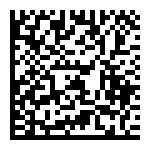
Here’s how to generate a Data Matrix and save it as an SVG.
Wrap the input in DataMatrixData. The simplest path is
auto_encoding=True, which picks the narrowest encoding that fits the
input automatically. For control over the encoded byte sequence – to
enforce "ascii" for a 7-bit payload (URLs, identifiers, GS1 Application
Identifier strings)
or to require Latin-1 / UTF-8 – pass an explicit encoding instead;
see Non-ASCII text below.
from pystrich.datamatrix import DataMatrixData, DataMatrixEncoder

payload = DataMatrixData("https://github.com/mmulqueen/pyStrich", auto_encoding=True)
DataMatrixEncoder(payload).save_svg("datamatrix-example.svg")
Sizing and quiet zone
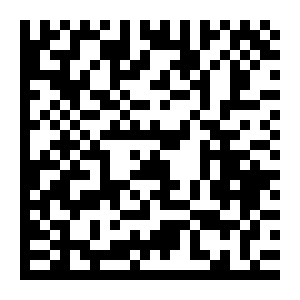
The cellsize argument to save() and
get_imagedata() sets the pixel side length of one
module (default 5).
The quiet_zone argument to DataMatrixEncoder sets the width
(in modules) of the white border applied at render time. The Data Matrix
specification requires at least one module of quiet zone on each side;
pyStrich defaults to 2 (set
DATAMATRIX_DEFAULT_QUIET_ZONE). Reduce
to 1 for the most compact symbol; increase if your printing process
tends to bleed into the margin.
See also
Printing barcodes for guidance on selecting cellsize for printed
output.
payload = DataMatrixData("https://github.com/mmulqueen/pyStrich", encoding="ascii")
DataMatrixEncoder(payload).save("datamatrix-large.png", cellsize=10)
Symbol shape
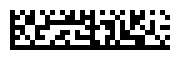
Data Matrix symbols are square by default, but can also be rectangular –
useful where a label strip is wider than it is tall. The
symbol_shape argument to DataMatrixEncoder selects between them:
"square" (the default) always produces a square symbol, "rectangular"
always produces one of the six rectangular sizes (raising if the payload is too
long for the largest of them), and "auto" picks whichever fitting symbol
has the smallest area.
payload = DataMatrixData("A1268172415", encoding="ascii")
DataMatrixEncoder(payload, symbol_shape="rectangular").save_svg("datamatrix-rectangular.svg")
Added in version 0.17.
Output formats
SVG output
For embedding in web pages or any workflow that benefits from
resolution-independent output, use save_svg() (or
get_svg() to receive the SVG as a string).
from pystrich.marks import MarkShape

payload = DataMatrixData("https://github.com/mmulqueen/pyStrich", encoding="ascii")
DataMatrixEncoder(payload).save_svg("datamatrix.svg")
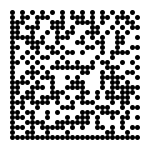
DataMatrixEncoder(payload).save_svg(
    "datamatrix-circles.svg", mark_shape=MarkShape.CIRCULAR_CELLS
)
Default |
|
|---|---|
|
|
|
The SVG’s viewBox is in module units, while width and height
scale by cellsize. The mark_shape keyword selects how matched
cells are drawn – horizontal runs of rectangles (the default) or one
filled circle per cell.
Note
Circular cells fall outside the standard module shape and decoder support varies. Test with your target scanner before deploying.
Added in version 0.12.
PNG output
For raster output, use save() to write a PNG file
or get_imagedata() to receive the raw PNG bytes.
payload = DataMatrixData("https://github.com/mmulqueen/pyStrich", encoding="ascii")
DataMatrixEncoder(payload).save("datamatrix.png")
EPS output
For embedding in LaTeX (\includegraphics) or other vector print
workflows, use save_eps() (or
get_eps() to receive the EPS as a string).
payload = DataMatrixData("https://github.com/mmulqueen/pyStrich", encoding="ascii")
DataMatrixEncoder(payload).save_eps("datamatrix.eps")
The cellsize argument is the side length of one module in PostScript
points (1 point = 1/72 inch).
Added in version 0.12.
Terminal output
For quick on-screen display, get_terminal_art()
returns a scannable rendering using Unicode half-block characters. Each
character represents two matrix rows and one column, so cells appear
roughly square in a typical fixed-width terminal font.
print(DataMatrixEncoder(payload).get_terminal_art())
  █▄▀ █ █▄█▄█ █▄▀▄█ █ █▄▀▄
  █  ▀ ▀ █▄ █▀█ ▀ █▀ █▀  ▄
  ██ █▄█ ▄█ █▄ █▄█  ▀ ▄▄█▄
  ██▀▄▀██▀█ ▀▀▀██▀ ▄▄▄ █▄▄
  ██▀▄▄▀█▄▀█▄█▄██▄▀███▀▄█▄
  █▄ ▄█  ██ █▄█▀█▄▀  █▀▀▀▄
  █▀ ▄ ▄██  ▄▀██▀▀█▄▄ ▄ ▀▄
  ██ █▀█ █▀█▀▀▀▄█▄▀ █ ▄  ▄
  █▀▀▄▄▀▄▀▀▄ ▄▀  ▄▀▄ ▀▀▄▄▄
  █  ▀▄▄▀█▀▀▀▀▀▀ █▀ █▄▄█ ▄
  █▄█▄▄▄▀▄▀ ▀ ▄ ▄▄█▀▀ ▀▄▀▄
  █████▄▄██▄▄██▄█▄█████▄█▄
By default the output is wrapped in ANSI escape codes that force a white
background and black foreground, so the symbol scans regardless of the
terminal’s colour scheme. Pass ansi_bg=False for plain output (correct
only on a light-themed terminal).
Added in version 0.12.
DXF (CAD) output
For direct part marking applications – where the symbol is engraved or
laser-etched onto a physical part – get_dxf()
returns a DXF representation of the symbol. DXF is the file format CAD and
CAM tools read; the output can be handed straight to the engraving or
etching tool. The cellsize is in your chosen units (default
"mm") rather than pixels.
payload = DataMatrixData("A1268172415", encoding="ascii")
encoder = DataMatrixEncoder(payload)
with open("part.dxf", "w") as f:
    f.write(encoder.get_dxf(cellsize=0.5, units="mm"))
The default inverse=True emits geometry for the light modules,
including the quiet zone – so the bounding box frames the symbol. Pass
inverse=False to emit only the dark modules instead, matching the
symbol’s normal appearance; the bounding box then hugs the dark cells and
the quiet zone has to be reintroduced downstream.
See also
SAE AS9132B – aerospace/defense quality standard for Data Matrix marks applied to metal parts; published in Europe as BS EN 9132.
GS1 / FNC1
See also
GS1 DataMatrix Guideline – the authoritative reference for Application Identifier selection, encoding rules and print quality requirements for GS1 Data Matrix.
GS1 Data Matrix uses an FNC1 codeword as the first symbol to signal that
the payload is a sequence of GS1 Application Identifiers, and again as a
separator after any variable-length Application Identifier that is not
the final element of the message. DataMatrixData.gs1() builds the
payload from typed field wrappers and handles separator placement
automatically. Wrap each Application Identifier / value pair in
GS1Fixed for Application Identifiers whose data
length is fixed or GS1Variable otherwise:
from pystrich.datamatrix import DataMatrixData, DataMatrixEncoder
from pystrich.gs1 import GS1Fixed, GS1Variable

# (01) GTIN-14 -- pad a GTIN-13 with a leading "0" indicator digit.
payload = DataMatrixData.gs1(GS1Fixed("01", "05050070007664"))
DataMatrixEncoder(payload).save("gs1.png")
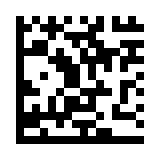
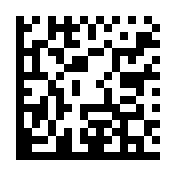
A typical pharmaceutical / medical-device payload combines a GTIN with
an expiry date and a batch number. (01) and (17) are
fixed-length, so GS1Fixed declares them; (10)
is variable-length, so GS1Variable carries it.
The GS1 General Specifications recommend variable-length Application
Identifiers come last – positioning (10) at the end of the message
means no FNC1 separator is needed between the fields:
payload = DataMatrixData.gs1(
    GS1Fixed("01", "09501234543213"),
    GS1Fixed("17", "261231"),
    GS1Variable("10", "BF07"),
)
DataMatrixEncoder(payload).save("gs1-multi-fixed.png")
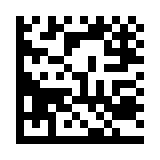
When a variable-length Application Identifier is not the last field, the FNC1 separator is inserted automatically:
payload = DataMatrixData.gs1(
    GS1Variable("10", "BF07"),
    GS1Variable("21", "19890519"),
)
DataMatrixEncoder(payload).save("gs1-multi.png")
For full control over the codeword stream, pass FNC1 and the
plain Application Identifier / value strings to DataMatrixData
directly – this is
the path gs1() wraps:
from pystrich.datamatrix import DataMatrixData, FNC1

payload = DataMatrixData(FNC1, "10BF07", FNC1, "2119890519", encoding="ascii")
Note
GS1 Data Matrix payloads must be ASCII – the GS1 General
Specifications restrict Application Identifier values to a 7-bit
character set (essentially ASCII). gs1() hardcodes
"ascii"; when placing FNC1 yourself, do not combine it with
non-ASCII encodings.
Deprecated since version 0.11: Older code triggered FNC1 by prefixing the payload with chr(231) –
originally a bug in this library that downstream users came to rely on
(see issue #13).
The shim still works but emits a
Fnc1WorkaroundCompatWarning. New code
should use gs1() (or FNC1 for the raw
path).
Non-ASCII text
The Data Matrix ASCII codeword set only covers bytes 0-127. To encode
anything outside that range in a non-GS1 symbol, wrap the input in
DataMatrixData and either pass auto_encoding=True (the
constructor picks the narrowest fitting encoding for you) or specify an
encoding explicitly:
Encoding |
Behaviour |
|---|---|
|
Raises |
|
Latin-1 – the default character set for Data Matrix per ISO/IEC 16022. Bytes 128-255 are emitted via the Upper Shift codeword (235); no ECI prefix is required and conformant decoders pick up the encoding automatically. |
|
Declares ECI 26 once at the start of the symbol and byte-encodes the input. Conformant decoders pick up the encoding automatically. |
|
Legacy lenient mode. Non-ASCII characters emit
|
Tip
For the most compact symbol, prefer the most restrictive encoding that
fits your data: "ascii" first, then "iso-8859-1", then
"utf-8". Each step adds overhead – Latin-1 spends an extra codeword
per high byte, and UTF-8 adds a two-codeword ECI prefix and emits
multi-byte sequences for anything outside ASCII. auto_encoding=True
makes the same choice for you if you’d rather not pick by hand.
from pystrich.datamatrix import DataMatrixData, DataMatrixEncoder

# Latin-1: smaller symbol if all your input fits in one byte per char.
DataMatrixEncoder(DataMatrixData("Ich dachte, Sie wären kräftiger", encoding="iso-8859-1")).save("latin1.png")
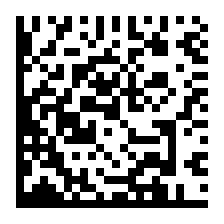
# UTF-8: required for anything outside Latin-1 (€, CJK, emoji).
DataMatrixEncoder(DataMatrixData("€5 親切にしろ 🐻❄️", encoding="utf-8")).save("utf8.png")
If you pass a string with the wrong encoding, the raised error suggests the encoding that would have worked:
>>> from pystrich.datamatrix import DataMatrixData
>>> DataMatrixData("Ich dachte, Sie wären kräftiger", encoding="ascii")
Traceback (most recent call last):
    ...
pystrich.exceptions.PyStrichInvalidInput: DataMatrixData encoding ASCII cannot encode the input; try DataMatrixData('Ich dachte, Sie wären kräftiger', encoding='iso-8859-1') or pass auto_encoding=True to select an encoding automatically.
Encodation modes
pyStrich supports the following encodation modes: ASCII/bytes (with numeric digit pairing), Text, C40 and X12. Base 256 is not currently supported. Due to concerns about decoder/scanner support, we have made the decision not to implement EDIFACT.[1]
Anatomy
Each Data Matrix region is built from the same three elements. Sizes from 10x10 to 26x26 use a single region; larger sizes tile the region in a 2x2, 4x4 or 6x6 grid. The diagram below labels a 36x36 ECC 200 symbol (2x2 regions of 16x16).
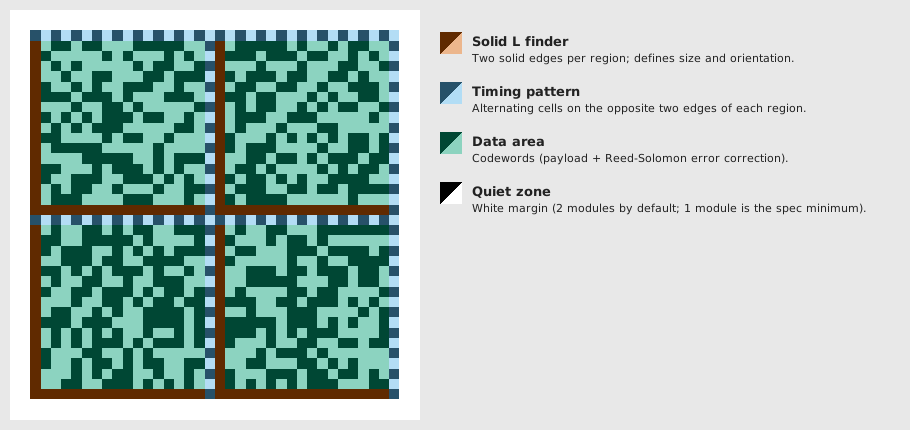
Solid L finder – two solid edges (left and bottom of each region) that identify the symbol’s size and orientation.
Timing pattern – the opposite two edges of each region (top and right), alternating dark and light cells so the scanner can count modules across the region.
Data area – everything inside the region’s L and timing edges: the encoded codewords plus Reed-Solomon error correction, mapped to cells by the ECC 200 placement algorithm.
Quiet zone – white margin around the symbol; the spec requires at least one module, and pyStrich defaults to two.
API
- class DataMatrixEncoder(text: DataMatrixData | str, *, quiet_zone: int = 2, force_byte_mode: bool = False, symbol_shape: Literal['square', 'rectangular', 'auto'] = 'square')[source]
Bases:
Matrix2DEncoder[int|None]Encode text as a Data Matrix (ECC 200) 2D barcode.
The matrix size is selected automatically based on input length. Wrap the input in
DataMatrixDataand pass an explicitencodingof"ascii","iso-8859-1"or"utf-8"— or passauto_encoding=Trueto let the constructor pick the narrowest encoding that fits. To produce a GS1 Data Matrix, prefix the payload with theFNC1marker.Typical use:
encoder = DataMatrixEncoder(DataMatrixData("Hallo", encoding="ascii"))
encoder.save("hallo.png")

# Or, let DataMatrixData pick the encoding:
encoder = DataMatrixEncoder(DataMatrixData("Rausschmeißer", auto_encoding=True))
Plain
strinput is also accepted but falls back to a deprecated"compat"encoding that warns on non-ASCII bytes and produces output that does not decode correctly. New code should always wrap the input inDataMatrixData.- Variables:
matrix – 2D list of ints (
0/1, orNonefor unset cells) describing the symbol prior to rendering.regions –
(h_regions, v_regions)— the number of regions the symbol is divided into horizontally and vertically.quiet_zone – Width in modules of the white border applied at render time.
width – Pixel width of the most recently rendered image.
0until a render method has been called.height – Pixel height of the most recently rendered image.
- get_dxf(cellsize: float = 1.0, inverse: bool = True, units: Literal['in', 'ft', 'mi', 'mm', 'cm', 'm'] | None = 'mm', *, mark_shape: MarkShape = MarkShape.SQUARE_CELLS) str[source]
Return a DXF (CAD) representation of the symbol.
- Parameters:
cellsize – Side length of one module in
units.inverse – If
True(the default), light modules are drawn as filled cells. IfFalse, dark modules are drawn, matching the normal appearance of the symbol.units – One of
"in","ft","mi","mm","cm"or"m", orNonefor Unspecified ($INSUNITS=0).mark_shape – How matched cells are grouped and drawn.
- Return type:
Added in version 0.9.
Changed in version 0.12:
unitsnow supports"in","ft","mi","cm","m"andNone(Unspecified); previously any value other than"mm"was silently treated as unspecified.
- get_eps(cellsize: int = 5, *, inverse: bool = False, mark_shape: MarkShape = MarkShape.HORIZONTAL_RUNS, dark_hex: str | RGBA | None = None, light_hex: str | RGBA | None = None) str[source]
Render the symbol and return EPS markup.
- Parameters:
cellsize – Side length in PostScript points of one module.
inverse – If
True, mark the light cells instead of the dark ones.mark_shape – How matched cells are grouped and drawn.
dark_hex – Dark-module colour as a 3-, 6- or 8-digit hex string or an
RGBA. Defaults to black.light_hex – Background colour as a 3-, 6- or 8-digit hex string or an
RGBA, opaque. Defaults to white.
- Return type:
Added in version 0.12.
Changed in version 0.16: Added
dark_hexandlight_hex.
- get_imagedata(cellsize: int = 5, *, dark_hex: str | RGBA | None = None, light_hex: str | RGBA | None = None) bytes[source]
Render the symbol and return PNG bytes.
- Parameters:
cellsize – Side length in pixels of one module.
dark_hex – Dark-module colour as a 3-, 6- or 8-digit hex string or an
RGBA. Defaults to black.light_hex – Background colour as a 3-, 6- or 8-digit hex string or an
RGBA. Defaults to white.
- Returns:
PNG-encoded image data.
- Return type:
Changed in version 0.16: Added
dark_hexandlight_hex.
- get_pilimage(cellsize: int = 5, *, dark_hex: str | RGBA | None = None, light_hex: str | RGBA | None = None) PILImage[source]
Render the symbol and return a Pillow image.
- Parameters:
cellsize – Side length in pixels of one module.
dark_hex – Dark-module colour as a 3-, 6- or 8-digit hex string or an
RGBA. Defaults to black.light_hex – Background colour as a 3-, 6- or 8-digit hex string or an
RGBA. Defaults to white.
- Returns:
The rendered symbol.
- Return type:
Added in version 0.11.
Changed in version 0.16: Added
dark_hexandlight_hex.
- get_rect_marks(*, inverse: bool = False, mark_shape: MarkShape = MarkShape.HORIZONTAL_RUNS) SymbolMarks[source]
Return the symbol’s dark cells as rectangles in module units.
- Parameters:
inverse – If
True, mark the light cells instead of the dark ones.mark_shape – How matched cells are grouped and drawn.
- Return type:
Added in version 0.18.
- get_svg(cellsize: int = 5, *, inverse: bool = False, mark_shape: MarkShape = MarkShape.HORIZONTAL_RUNS, dark_hex: str | RGBA | None = None, light_hex: str | RGBA | None = None) str[source]
Render the symbol and return SVG markup.
- Parameters:
cellsize – Side length in user units of one module.
inverse – If
True, mark the light cells instead of the dark ones.mark_shape – How matched cells are grouped and drawn.
dark_hex – Dark-module colour as a 3-, 6- or 8-digit hex string or an
RGBA. Defaults to black.light_hex – Background colour as a 3-, 6- or 8-digit hex string or an
RGBA. Defaults to white.
- Return type:
Added in version 0.12.
Changed in version 0.16: Added
dark_hexandlight_hex.
- get_terminal_art(*, ansi_bg: bool = True) str[source]
Render the symbol using Unicode half-block characters for terminals.
Each character represents two matrix rows and one column, producing approximately square cells in a typical fixed-width font and yielding a result that is scannable on screen.
- Parameters:
ansi_bg – If
True(the default), wrap each line in ANSI escape codes that force a white background and black foreground, making the symbol scannable regardless of the terminal’s colour scheme. Set toFalsefor plain output (correct only on a light-themed terminal).- Return type:
Added in version 0.12.
- png_dataurl(cellsize: int = 5, *, dark_hex: str | RGBA | None = None, light_hex: str | RGBA | None = None) str[source]
Render the symbol and return a PNG
data:URL string.- Parameters:
cellsize – Side length in pixels of one module.
dark_hex – Dark-module colour as a 3-, 6- or 8-digit hex string or an
RGBA. Defaults to black.light_hex – Background colour as a 3-, 6- or 8-digit hex string or an
RGBA. Defaults to white.
- Return type:
Added in version 0.15.
Changed in version 0.16: Added
dark_hexandlight_hex.
- save(filename: str | os.PathLike[str], cellsize: int = 5, *, dark_hex: str | RGBA | None = None, light_hex: str | RGBA | None = None) None[source]
Save the symbol as a PNG. Pass a
.pngfilename.- Parameters:
filename – PNG output path.
cellsize – Side length in pixels of one module.
dark_hex – Dark-module colour as a 3-, 6- or 8-digit hex string or an
RGBA. Defaults to black.light_hex – Background colour as a 3-, 6- or 8-digit hex string or an
RGBA. Defaults to white.
Changed in version 0.16: Added
dark_hexandlight_hex.
- save_eps(filename: str | os.PathLike[str], cellsize: int = 5, *, inverse: bool = False, mark_shape: MarkShape = MarkShape.HORIZONTAL_RUNS, dark_hex: str | RGBA | None = None, light_hex: str | RGBA | None = None) None[source]
Save the symbol as an EPS file. Pass an
.epsfilename.- Parameters:
filename – EPS output path.
cellsize – Side length in PostScript points of one module.
inverse – If
True, mark the light cells instead of the dark ones.mark_shape – How matched cells are grouped and drawn.
dark_hex – Dark-module colour as a 3-, 6- or 8-digit hex string or an
RGBA. Defaults to black.light_hex – Background colour as a 3-, 6- or 8-digit hex string or an
RGBA, opaque. Defaults to white.
Added in version 0.12.
Changed in version 0.16: Added
dark_hexandlight_hex.
- save_svg(filename: str | os.PathLike[str], cellsize: int = 5, *, inverse: bool = False, mark_shape: MarkShape = MarkShape.HORIZONTAL_RUNS, dark_hex: str | RGBA | None = None, light_hex: str | RGBA | None = None) None[source]
Save the symbol as an SVG file. Pass a
.svgfilename.- Parameters:
filename – SVG output path.
cellsize – Side length in user units of one module.
inverse – If
True, mark the light cells instead of the dark ones.mark_shape – How matched cells are grouped and drawn.
dark_hex – Dark-module colour as a 3-, 6- or 8-digit hex string or an
RGBA. Defaults to black.light_hex – Background colour as a 3-, 6- or 8-digit hex string or an
RGBA. Defaults to white.
Added in version 0.12.
Changed in version 0.16: Added
dark_hexandlight_hex.
- svg_dataurl(cellsize: int = 5, *, inverse: bool = False, mark_shape: MarkShape = MarkShape.HORIZONTAL_RUNS, dark_hex: str | RGBA | None = None, light_hex: str | RGBA | None = None) str[source]
Render the symbol and return an SVG
data:URL string.- Parameters:
cellsize – Side length in user units of one module.
inverse – If
True, mark the light cells instead of the dark ones.mark_shape – How matched cells are grouped and drawn.
dark_hex – Dark-module colour as a 3-, 6- or 8-digit hex string or an
RGBA. Defaults to black.light_hex – Background colour as a 3-, 6- or 8-digit hex string or an
RGBA. Defaults to white.
- Return type:
Added in version 0.15.
Changed in version 0.16: Added
dark_hexandlight_hex.
- class DataMatrixData(*segments: str | DataMatrixCodeword, encoding: Literal['compat', 'ascii', 'iso-8859-1', 'utf-8'] | None = None, auto_encoding: bool = False)[source]
Bases:
EncodableData[Literal[‘ascii’, ‘iso-8859-1’, ‘utf-8’],DataMatrixCodeword]Composable encoder input mixing text chunks with raw-codeword markers.
Build values by concatenating marker constants (e.g.
FNC1) with plain strings on either side, then pass the result toDataMatrixEncoderin place of astr.Construction requires either an explicit
encoding=(one of"ascii","iso-8859-1","utf-8"or the legacy"compat") orauto_encoding=True. Withauto_encoding=Truethe constructor picks the narrowest ofascii,iso-8859-1,utf-8that represents every segment; anyencoding=argument passed alongside is ignored."compat"is an init-time option only – it triggers the legacy ASCII+1 codeword transform and is then stored as"ascii", soencodingis always one of the three concrete charsets after construction.After construction
segmentsis normalised: consecutive str segments are merged, empty strs are dropped, and (for"compat") every codepoint with the high bit set is replaced by aDataMatrixCodewordcarrying the legacyord + 1value. The encoder therefore only ever sees pure-encodable strs interleaved with raw codeword markers.Added in version 0.11.
Changed in version 0.12: Callers must now pass either an explicit
encoding=orauto_encoding=True. Added theauto_encodingflag.Deprecated since version 0.11: The
"compat"encoding is retained only for backwards compatibility and will be removed in a future release. New code should pick"ascii","iso-8859-1"or"utf-8"explicitly, or useauto_encoding=True.- classmethod gs1(*fields: GS1Fixed | GS1Variable) DataMatrixData[source]
Build a GS1 Data Matrix payload from typed Application Identifier fields.
Emits a leading
FNC1(which flags the symbol as GS1 Data Matrix to conformant scanners) followed byapplication_identifier + valuefor each field, inserting a furtherFNC1separator after eachGS1Variablethat is not the final element. ASCII is hardcoded – the GS1 General Specifications restrict Application Identifier values to a 7-bit character set.- Parameters:
fields – One or more
GS1Fixed/GS1Variableinstances. Plain strings are not accepted; wrap each Application Identifier / value pair in the appropriate field class so we know whether to follow it with FNC1.- Raises:
pystrich.exceptions.PyStrichInvalidOption – if
fieldsis empty or contains anything other than the field classes.
Added in version 0.15.
- class DataMatrixCodeword(value: int)[source]
Bases:
objectA literal DataMatrix codeword value to emit verbatim.
Concatenation with a plain
stror another codeword (e.g.FNC1 + "...") is the modern API path and produces aDataMatrixDatatagged with the strict"ascii"encoding. Concatenation with an existingDataMatrixDatapreserves that object’s encoding instead.Added in version 0.11.
- pystrich.datamatrix.FNC1
The GS1 FNC1 marker (Data Matrix codeword 232). An instance of
DataMatrixCodeword; concatenate with strings via+to build a GS1 payload.Added in version 0.11.