Generating a QR code with Python
pyStrich is a Python library for generating QR codes, along with other 1D and 2D symbologies.
QR codes are widely used for URLs and contact details.
See also
QR code on Wikipedia for background on the symbology itself.
QR codes are defined in ISO/IEC 18004.
Example
If you haven’t already installed pyStrich, you should do so – see Installation for more detail:
$ pip install pyStrich
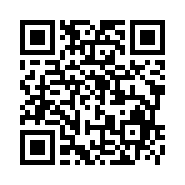
Here’s how to generate a QR code and save it as an SVG:
from pystrich.qrcode import QRCodeEncoder

encoder = QRCodeEncoder("https://github.com/mmulqueen/pyStrich")
encoder.save_svg("qrcode-example.svg")
Sizing and quiet zone
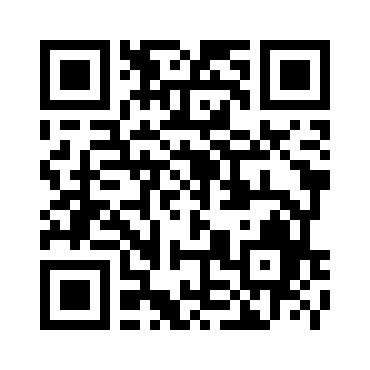
The cellsize argument to save() and
get_imagedata() sets the pixel side length of one
module (default 5).
See also
Printing barcodes for guidance on selecting cellsize for printed
output.
encoder = QRCodeEncoder("https://github.com/mmulqueen/pyStrich")
encoder.save("qrcode-large.png", cellsize=10)
Output formats
SVG output
For embedding in web pages or any workflow that benefits from
resolution-independent output, use save_svg() (or
get_svg() to receive the SVG as a string).
from pystrich.marks import MarkShape

QRCodeEncoder("https://github.com/mmulqueen/pyStrich").save_svg("qr.svg")
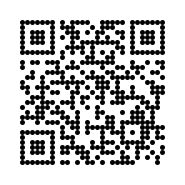
QRCodeEncoder("https://github.com/mmulqueen/pyStrich").save_svg(
    "qr-circles.svg", mark_shape=MarkShape.CIRCULAR_CELLS
)
Default |
|
|---|---|
|
|
|
The SVG’s viewBox is in module units, while width and height
scale by cellsize. The mark_shape keyword selects how matched
cells are drawn – horizontal runs of rectangles (the default) or one
filled circle per cell.
Note
Circular cells fall outside the standard module shape and decoder support varies. Test with your target scanner before deploying.
Added in version 0.12.
PNG output
For raster output, use save() to write a PNG file or
get_imagedata() to receive the raw PNG bytes.
QRCodeEncoder("https://github.com/mmulqueen/pyStrich").save("qrcode.png")
EPS output
For embedding in LaTeX (\includegraphics) or other vector print
workflows, use save_eps() (or
get_eps() to receive the EPS as a string).
QRCodeEncoder("https://github.com/mmulqueen/pyStrich").save_eps("qr.eps")
The cellsize argument is the side length of one module in PostScript
points (1 point = 1/72 inch).
Added in version 0.12.
Terminal output
For quick on-screen display, get_terminal_art()
returns a scannable rendering using Unicode half-block characters. Each
character represents two matrix rows and one column, so cells appear
roughly square in a typical fixed-width terminal font.
print(QRCodeEncoder("https://github.com/mmulqueen/pyStrich").get_terminal_art())
    █▀▀▀▀▀█ █▄█▀▀▀▄ ███▀▀ █▀▀▀▀▀█
    █ ███ █ ▄▀██ ▀ █▀▄ ▀█ █ ███ █
    █ ▀▀▀ █  ▄█▄█▀█▀▀▀▀█▄ █ ▀▀▀ █
    ▀▀▀▀▀▀▀ █ ▀ ▀▄█ ▀▄█ ▀ ▀▀▀▀▀▀▀
    █ ▀▀ ▀▀█ ▄█▄▀▀▀▀█▀▀▄▄ █▄▄▀ ▀█
     ▄█ ▄▀▀▀█ ▄ ▀▄█▄▄▀█▄▄█▄▀▄ ▀▀▄
    █▄ ▄█▄▀▀▀█▀█▀▄ ███ █  ▄  ▀█▄▄
     ▀▄▄█ ▀▀  █▀▄▄▀▄█ ▀██▄█▄▄ ▀█▀
    ▄▀▀▄██▀▄▀▀█ ▀▄ ▄▀ ▀▀▀  ▄▀█▄█
    ▄█▄██ ▀▀█▄ █   █▀▄▄ ▀ ███ █
    ▀  ▀ ▀▀▀▄▀██ █▄▄▄██ █▀▀▀███▄▄
    █▀▀▀▀▀█ █▄▄▀ ▀  █ ▀▀█ ▀ ██ █▄
    █ ███ █ ▄▄█▄▄ █▄█▀▀▄▀█▀██▄▀ ▄
    █ ▀▀▀ █ ▀▀ ▀██ ▄▀▀▀ █▄ █ ▄▀▄▀
    ▀▀▀▀▀▀▀ ▀▀ ▀ ▀▀ ▀ ▀▀▀▀▀    ▀
By default the output is wrapped in ANSI escape codes that force a white
background and black foreground, so the symbol scans regardless of the
terminal’s colour scheme. Pass ansi_bg=False for plain output (correct
only on a light-themed terminal).
Added in version 0.12.
DXF (CAD) output
For direct part marking applications, get_dxf()
returns a DXF representation of the symbol that CAD and CAM tools can read
directly. The cellsize is in your chosen units (default "mm")
rather than pixels.
encoder = QRCodeEncoder("WDBCA45D2HA327260")
with open("part.dxf", "w") as f:
    f.write(encoder.get_dxf(cellsize=0.5, units="mm"))
The default inverse=True emits geometry for the light modules,
including the quiet zone – so the bounding box frames the symbol. Pass
inverse=False to emit only the dark modules instead, matching the
symbol’s normal appearance; the bounding box then hugs the dark cells and
the quiet zone has to be reintroduced downstream.
Error correction level
QR Codes embed redundant data so that a partly-damaged symbol can still be read. The error correction level (ECL) sets how much redundancy is added, and is one of:
|
Low: ~7% of codewords recoverable. Smallest symbol. |
|
Medium: ~15%. Default if |
|
Quartile: ~25%. |
|
High: ~30%. Largest symbol; tolerates the most damage. |
Higher levels produce a denser symbol for the same payload (or, equivalently,
require a larger symbol to fit the same payload), so pick the lowest level
that meets your durability needs. "H" is typically reserved for symbols
that may be partly obscured (e.g. by a logo) or printed on surfaces likely
to be scratched, smudged or torn.
QRCodeEncoder("https://en.wikipedia.org/wiki/Kings_River_(California)", ecl="H").save("qr-high.png")
GS1 Digital Link
GS1 Digital Link
encodes a GTIN (with optional batch, expiry, serial, …) as a URL.
It’s just a URL – pass it to QRCodeEncoder directly:
QRCodeEncoder("https://id.gs1.org/01/05050070007664/10/W126").save("dl.png")
Raw Application-Identifier-syntax GS1 QR (FNC1 mode indicator) is not supported; for that, use Generating a Data Matrix with Python.
Non-ASCII text
QRCodeEncoder accepts any Unicode string directly and picks the
narrowest character set that fits. Wrap the input in QRCodeData
only when you want to constrain that choice – for example, to enforce
"ascii" so a stray non-ASCII character raises instead of silently
growing the symbol:
Encoding |
Behaviour |
|---|---|
|
Raises |
|
Latin-1. Declares ECI 3 at the start of the symbol so decoders do not fall back to Shift-JIS heuristics on high bytes. |
|
Declares ECI 26 and byte-encodes the input. Conformant decoders pick up the encoding automatically. |
|
Declares ECI 20 and enables Kanji-mode compaction (13 bits per JIS X 0208 character vs. 24 bits as UTF-8 in byte mode). Opt-in; auto-selection never picks it. |
Tip
The auto-selected encoding is always the narrowest one that fits, so
passing a plain str already gives you the smallest symbol. Picking
an encoding by hand is mostly useful for input validation – e.g.
reject anything outside ASCII at the boundary.
# Plain str: Latin-1 picked automatically, ECI 3 emitted.
QRCodeEncoder("Ich dachte, Sie wären kräftiger").save("latin1.png")
# Plain str: UTF-8 picked automatically, ECI 26 emitted.
QRCodeEncoder("€5 親切にしろ 🐻❄️").save("utf8.png")
If you pin an encoding that does not fit the input, the raised error suggests the encoding that would have worked:
>>> from pystrich.qrcode import QRCodeData
>>> QRCodeData("Ich dachte, Sie wären kräftiger", encoding="ascii")
Traceback (most recent call last):
    ...
pystrich.exceptions.PyStrichInvalidInput: QRCodeData encoding ASCII cannot encode the input; try QRCodeData('Ich dachte, Sie wären kräftiger', encoding='iso-8859-1') or pass auto_encoding=True to select an encoding automatically.
Japanese with Shift_JIS
QRCodeEncoder(QRCodeData("親切にしろ", encoding="shift_jis")).save_svg("kanji.svg")
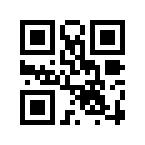
Pinning shift_jis enables Kanji-mode compaction – 13 bits per
JIS X 0208 character vs. 24 as UTF-8 in byte mode. Auto-selection
won’t pick it.
Wi-Fi network
Phones offer to join a network when they scan a QR code holding a WIFI:
payload. QRCodeData.wifi_network() builds one in the format defined by
the Wi-Fi Alliance WPA3 Specification v3.5:
from pystrich.qrcode import QRCodeData, QRCodeEncoder

payload = QRCodeData.wifi_network(ssid="DoubleDeuceGuest", password="PainDontHurt")
QRCodeEncoder(payload).save("wifi.png")
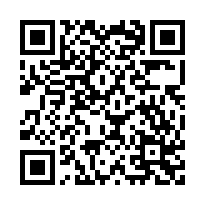
Omit the password for an open network (the type field is left out), and
pass hidden=True for a network that does not broadcast its SSID.
Anatomy
A QR Code carries the payload in a sea of data modules, surrounded by several fixed function patterns that let scanners locate, align and decode the symbol. The diagram below labels a Version 5 symbol (37x37 modules); larger versions repeat the same parts and add more alignment patterns, plus a version-information block from Version 7 upwards.
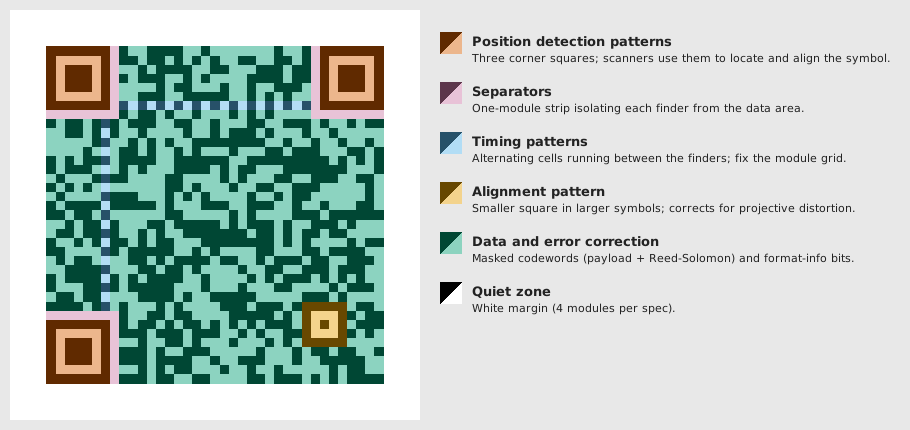
Position detection patterns – the three large squares at the top-left, top-right and bottom-left corners. Scanners use them to detect the symbol from any angle and infer its orientation from the one missing corner.
Separators – a one-module strip of white isolating each finder from the data area, keeping the finder pattern unambiguous.
Timing patterns – one row and one column of alternating dark and light cells, running between the top finders and between the left finders. They fix the module grid across the symbol.
Alignment pattern – smaller squares dropped into the data area in Version 2 and above to correct for projective distortion when the symbol is photographed at an angle. Version 5 has one; the largest versions have several dozen.
Data and error correction – the masked codeword stream (payload plus Reed-Solomon). This is what scales with version.
Quiet zone – four modules of white margin on every side, as mandated by the QR Code specification.
API
- class QRCodeEncoder(text: str | QRCodeData, ecl: Literal['L', 'M', 'Q', 'H'] | None = None)[source]
Bases:
Matrix2DEncoder[int]Encode text as a QR Code 2D barcode.
A plain
stris encoded with the narrowest character set that fits: ASCII (no ECI), Latin-1 (ECI 3), or UTF-8 (ECI 26). Pass aQRCodeDatato pin the encoding explicitly.Typical use:
encoder = QRCodeEncoder("https://d-nb.info/gnd/135514053")
encoder.save("qr.png")
- Variables:
matrix – 2D list describing the symbol prior to rendering.
width – Pixel width of the most recently rendered image.
height – Pixel height of the most recently rendered image.
- init_renderer() QRCodeRenderer[source]
Construct a
QRCodeRendererfor the encoded matrix.Updates
widthandheightwith the renderer’s dimensions and returns the renderer.
- get_dxf(cellsize: float = 1.0, inverse: bool = True, units: Literal['in', 'ft', 'mi', 'mm', 'cm', 'm'] | None = 'mm', *, mark_shape: MarkShape = MarkShape.SQUARE_CELLS) str[source]
Return a DXF (CAD) representation of the symbol.
- Parameters:
cellsize – Side length of one module in
units.inverse – If
True(the default), light modules are drawn as filled cells. IfFalse, dark modules are drawn, matching the normal appearance of the symbol.units – One of
"in","ft","mi","mm","cm"or"m", orNonefor Unspecified ($INSUNITS=0).mark_shape – How matched cells are grouped and drawn.
- Return type:
Added in version 0.9.
Changed in version 0.12:
unitsnow supports"in","ft","mi","cm","m"andNone(Unspecified); previously any value other than"mm"was silently treated as unspecified.
- get_eps(cellsize: int = 5, *, inverse: bool = False, mark_shape: MarkShape = MarkShape.HORIZONTAL_RUNS, dark_hex: str | RGBA | None = None, light_hex: str | RGBA | None = None) str[source]
Render the symbol and return EPS markup.
- Parameters:
cellsize – Side length in PostScript points of one module.
inverse – If
True, mark the light cells instead of the dark ones.mark_shape – How matched cells are grouped and drawn.
dark_hex – Dark-module colour as a 3-, 6- or 8-digit hex string or an
RGBA. Defaults to black.light_hex – Background colour as a 3-, 6- or 8-digit hex string or an
RGBA, opaque. Defaults to white.
- Return type:
Added in version 0.12.
Changed in version 0.16: Added
dark_hexandlight_hex.
- get_imagedata(cellsize: int = 5, *, dark_hex: str | RGBA | None = None, light_hex: str | RGBA | None = None) bytes[source]
Render the symbol and return PNG bytes.
- Parameters:
cellsize – Side length in pixels of one module.
dark_hex – Dark-module colour as a 3-, 6- or 8-digit hex string or an
RGBA. Defaults to black.light_hex – Background colour as a 3-, 6- or 8-digit hex string or an
RGBA. Defaults to white.
- Returns:
PNG-encoded image data.
- Return type:
Changed in version 0.16: Added
dark_hexandlight_hex.
- get_pilimage(cellsize: int = 5, *, dark_hex: str | RGBA | None = None, light_hex: str | RGBA | None = None) PILImage[source]
Render the symbol and return a Pillow image.
- Parameters:
cellsize – Side length in pixels of one module.
dark_hex – Dark-module colour as a 3-, 6- or 8-digit hex string or an
RGBA. Defaults to black.light_hex – Background colour as a 3-, 6- or 8-digit hex string or an
RGBA. Defaults to white.
- Returns:
The rendered symbol.
- Return type:
Added in version 0.11.
Changed in version 0.16: Added
dark_hexandlight_hex.
- get_rect_marks(*, inverse: bool = False, mark_shape: MarkShape = MarkShape.HORIZONTAL_RUNS) SymbolMarks[source]
Return the symbol’s dark cells as rectangles in module units.
- Parameters:
inverse – If
True, mark the light cells instead of the dark ones.mark_shape – How matched cells are grouped and drawn.
- Return type:
Added in version 0.18.
- get_svg(cellsize: int = 5, *, inverse: bool = False, mark_shape: MarkShape = MarkShape.HORIZONTAL_RUNS, dark_hex: str | RGBA | None = None, light_hex: str | RGBA | None = None) str[source]
Render the symbol and return SVG markup.
- Parameters:
cellsize – Side length in user units of one module.
inverse – If
True, mark the light cells instead of the dark ones.mark_shape – How matched cells are grouped and drawn.
dark_hex – Dark-module colour as a 3-, 6- or 8-digit hex string or an
RGBA. Defaults to black.light_hex – Background colour as a 3-, 6- or 8-digit hex string or an
RGBA. Defaults to white.
- Return type:
Added in version 0.12.
Changed in version 0.16: Added
dark_hexandlight_hex.
- get_terminal_art(*, ansi_bg: bool = True) str[source]
Render the symbol using Unicode half-block characters for terminals.
Each character represents two matrix rows and one column, producing approximately square cells in a typical fixed-width font and yielding a result that is scannable on screen.
- Parameters:
ansi_bg – If
True(the default), wrap each line in ANSI escape codes that force a white background and black foreground, making the symbol scannable regardless of the terminal’s colour scheme. Set toFalsefor plain output (correct only on a light-themed terminal).- Return type:
Added in version 0.12.
- png_dataurl(cellsize: int = 5, *, dark_hex: str | RGBA | None = None, light_hex: str | RGBA | None = None) str[source]
Render the symbol and return a PNG
data:URL string.- Parameters:
cellsize – Side length in pixels of one module.
dark_hex – Dark-module colour as a 3-, 6- or 8-digit hex string or an
RGBA. Defaults to black.light_hex – Background colour as a 3-, 6- or 8-digit hex string or an
RGBA. Defaults to white.
- Return type:
Added in version 0.15.
Changed in version 0.16: Added
dark_hexandlight_hex.
- save(filename: str | os.PathLike[str], cellsize: int = 5, *, dark_hex: str | RGBA | None = None, light_hex: str | RGBA | None = None) None[source]
Save the symbol as a PNG. Pass a
.pngfilename.- Parameters:
filename – PNG output path.
cellsize – Side length in pixels of one module.
dark_hex – Dark-module colour as a 3-, 6- or 8-digit hex string or an
RGBA. Defaults to black.light_hex – Background colour as a 3-, 6- or 8-digit hex string or an
RGBA. Defaults to white.
Changed in version 0.16: Added
dark_hexandlight_hex.
- save_eps(filename: str | os.PathLike[str], cellsize: int = 5, *, inverse: bool = False, mark_shape: MarkShape = MarkShape.HORIZONTAL_RUNS, dark_hex: str | RGBA | None = None, light_hex: str | RGBA | None = None) None[source]
Save the symbol as an EPS file. Pass an
.epsfilename.- Parameters:
filename – EPS output path.
cellsize – Side length in PostScript points of one module.
inverse – If
True, mark the light cells instead of the dark ones.mark_shape – How matched cells are grouped and drawn.
dark_hex – Dark-module colour as a 3-, 6- or 8-digit hex string or an
RGBA. Defaults to black.light_hex – Background colour as a 3-, 6- or 8-digit hex string or an
RGBA, opaque. Defaults to white.
Added in version 0.12.
Changed in version 0.16: Added
dark_hexandlight_hex.
- save_svg(filename: str | os.PathLike[str], cellsize: int = 5, *, inverse: bool = False, mark_shape: MarkShape = MarkShape.HORIZONTAL_RUNS, dark_hex: str | RGBA | None = None, light_hex: str | RGBA | None = None) None[source]
Save the symbol as an SVG file. Pass a
.svgfilename.- Parameters:
filename – SVG output path.
cellsize – Side length in user units of one module.
inverse – If
True, mark the light cells instead of the dark ones.mark_shape – How matched cells are grouped and drawn.
dark_hex – Dark-module colour as a 3-, 6- or 8-digit hex string or an
RGBA. Defaults to black.light_hex – Background colour as a 3-, 6- or 8-digit hex string or an
RGBA. Defaults to white.
Added in version 0.12.
Changed in version 0.16: Added
dark_hexandlight_hex.
- svg_dataurl(cellsize: int = 5, *, inverse: bool = False, mark_shape: MarkShape = MarkShape.HORIZONTAL_RUNS, dark_hex: str | RGBA | None = None, light_hex: str | RGBA | None = None) str[source]
Render the symbol and return an SVG
data:URL string.- Parameters:
cellsize – Side length in user units of one module.
inverse – If
True, mark the light cells instead of the dark ones.mark_shape – How matched cells are grouped and drawn.
dark_hex – Dark-module colour as a 3-, 6- or 8-digit hex string or an
RGBA. Defaults to black.light_hex – Background colour as a 3-, 6- or 8-digit hex string or an
RGBA. Defaults to white.
- Return type:
Added in version 0.15.
Changed in version 0.16: Added
dark_hexandlight_hex.
- class QRCodeData(*segments: str | MarkerT, encoding: EncT | None = None, auto_encoding: bool = False)[source]
Bases:
EncodableData[Literal[‘ascii’, ‘iso-8859-1’, ‘utf-8’, ‘shift_jis’],Never]Encoder input with an explicit character-set choice.
QRCodeEncoderaccepts a plainstrand selects the encoding automatically. UseQRCodeDataonly to pin the encoding – for example, force"ascii"to reject non-ASCII input, or"shift_jis"to unlock Kanji-mode compression for Japanese payloads.Pass either
encoding=(one of"ascii","iso-8859-1","utf-8","shift_jis") orauto_encoding=True. Withauto_encoding=Truethe constructor picks the narrowest fitting encoding from the first three;"shift_jis"is explicit-only.Changed in version 0.15: Added
"shift_jis"to unlock Kanji-mode compression.- classmethod wifi_network(ssid: str, password: str | None = None, *, hidden: bool = False, transition_disable: int | None = None, password_identifier: str | None = None, public_key: str | None = None) QRCodeData[source]
Build a
WIFI:payload a phone can scan to join a network.Produces the WIFI URI defined by the Wi-Fi Alliance WPA3 Specification v3.5.
- Parameters:
ssid – Network name.
password – Network password; omit for an open network.
hidden –
Truewhen the network does not broadcast its SSID.transition_disable – Transition Disable bitmap, rendered as hexadecimal.
password_identifier – SAE password identifier.
public_key – Base64-encoded SAE-PK public key, inserted verbatim.
Added in version 0.15.