Recipes
Common patterns for using pyStrich in real applications.
You can find more examples showing how pyStrich can be used in our repo.
For one-off generation from a shell, see Command-line interface.
Serving barcodes from a web request
Every encoder has a get_imagedata() method that returns the PNG as a
bytes object, suitable for streaming straight back to a client without
touching the filesystem.
With Flask:
from flask import Flask, Response
from pystrich.code39 import Code39Encoder

app = Flask(__name__)

@app.route("/barcode/<text>")
def barcode(text):
    encoder = Code39Encoder(text)
    return Response(encoder.get_imagedata(), mimetype="image/png")
The same pattern applies to FastAPI, Django, or any other framework – the
encoder produces raw PNG bytes that can be returned with the
image/png content type.
Generating barcodes in bulk
Each encoder constructs a fresh symbol; there is no shared state to reset between calls. To generate many barcodes, loop over your inputs:
from pathlib import Path
from pystrich.code128 import Code128Encoder

out = Path("labels")
out.mkdir(exist_ok=True)

for sku in ["A1266470501", "A1268206342", "A0001513255"]:
    Code128Encoder(sku).save(out / f"{sku}.png")
Loading the output into Pillow for further processing
To composite a barcode onto a label template, call
get_pilimage() to obtain a PIL.Image.Image directly:
from PIL import Image
from pystrich.datamatrix import DataMatrixData, DataMatrixEncoder

payload = DataMatrixData("EMMETT", encoding="ascii")
barcode = DataMatrixEncoder(payload).get_pilimage(cellsize=8)

label = Image.new("RGB", (400, 200), "white")
label.paste(barcode, (20, 20))
label.save("label.png")
In-memory output
Every encoder has both raster and vector in-memory methods.
get_imagedata() returns PNG bytes (the in-memory equivalent of
save()); get_svg() returns an SVG string (the in-memory
equivalent of save_svg()).
from pystrich.qrcode import QRCodeEncoder

encoder = QRCodeEncoder('{"institution": "New York University", "major": "Philosophy"}')

png_data = encoder.get_imagedata()   # bytes -- attach to an email, store in a database
svg_markup = encoder.get_svg()       # str  -- embed directly in an HTML response
Embedding barcodes as data URLs in templates
Every encoder has svg_dataurl()
and png_dataurl() methods
(cellsize for 2D, bar_width for 1D) that return a data: URL
string in one call. Register a thin wrapper with your templating engine
to inline barcodes directly in the rendered HTML.
Flask / Jinja2
from flask import Flask
from pystrich.ean13 import EAN13Encoder
from pystrich.qrcode import QRCodeEncoder

app = Flask(__name__)


@app.template_filter("ean13_dataurl")
def ean13_dataurl(code):
    return EAN13Encoder(code).svg_dataurl()


@app.template_filter("qr_dataurl")
def qr_dataurl(text):
    return QRCodeEncoder(text).svg_dataurl(cellsize=4)
Then in a template:
<img src="{{ product.gtin | ean13_dataurl }}" alt="EAN-13 for {{ product.name }}">
<img src="{{ product.url | qr_dataurl }}" alt="QR code">
Django
Define the filter inside a templatetags module at
<app>/templatetags/pystrich_filters.py (with an __init__.py in
templatetags/ so Django picks it up):
from django import template
from django.template.defaultfilters import stringfilter

from pystrich.qrcode import QRCodeEncoder

register = template.Library()


@register.filter
@stringfilter
def qr_dataurl(text):
    return QRCodeEncoder(text, ecl="H").svg_dataurl(cellsize=8)
Then in a template:
{% load pystrich_filters %}
<img src="{{ product.url|qr_dataurl }}" alt="QR code for {{ product.name }}">
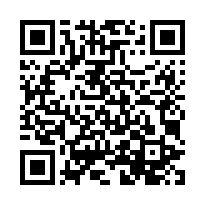
Encoding a contact card
A QR code holding a vCard lets a phone offer to save the contact. vCard is
plain text – build it directly, using CRLF line endings:
from pystrich.qrcode import QRCodeEncoder

vcard = (
    "BEGIN:VCARD\r\n"
    "VERSION:3.0\r\n"
    "FN:Red\r\n"
    "TEL:+14175550142\r\n"
    "END:VCARD\r\n"
)
QRCodeEncoder(vcard).save("red.png")
Tip
To avoid building the vCard by hand, generate it with vobject.
Encoding a location
The geo: URI scheme (RFC 5870) carries a latitude/longitude pair that
scanners open in a maps app:
from pystrich.qrcode import QRCodeEncoder

QRCodeEncoder("geo:37.335278,-94.302222").save("location.png")