Generating an Aztec Code with Python
pyStrich is a Python library for generating Aztec Code barcodes, along with other 1D and 2D symbologies.
Aztec Code is a 2D barcode used on transport tickets, boarding passes and medical records. It needs no quiet zone, and its strong central bullseye finder decodes reliably from any rotation. Symbols range from 15x15 modules (compact) up to 151x151 (full-range).
Added in version 0.14: Aztec Code support was added in this release.
See also
Aztec Code on Wikipedia for background on the symbology itself.
Aztec Code is defined in ISO/IEC 24778.
Example
If you haven’t already installed pyStrich, you should do so – see Installation for more detail:
$ pip install pyStrich
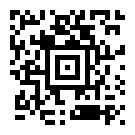
Here’s how to generate an Aztec Code and save it as an SVG:
from pystrich.aztec import AztecEncoder

encoder = AztecEncoder("https://github.com/mmulqueen/pyStrich")
encoder.save_svg("aztec-example.svg")
Sizing
The cellsize argument to save() and
get_imagedata() sets the pixel side length of one
module (default 5).
Aztec Code does not require a quiet zone, but pyStrich adds a 2-module
margin by default to give scanners a stable background. Pass
quiet_zone= to AztecEncoder to change the border width (in
modules) per call; pass 0 to drop the margin entirely.
AztecEncoder("Hello", quiet_zone=0).save("aztec-no-margin.png")
See also
Printing barcodes for guidance on selecting cellsize for printed
output.
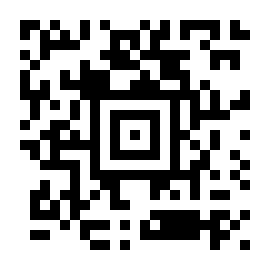
encoder = AztecEncoder("https://github.com/mmulqueen/pyStrich")
encoder.save("aztec-large.png", cellsize=10)
Output formats
SVG output
For embedding in web pages or any workflow that benefits from
resolution-independent output, use save_svg() (or
get_svg() to receive the SVG as a string).
from pystrich.marks import MarkShape

AztecEncoder("https://github.com/mmulqueen/pyStrich").save_svg("aztec.svg")
AztecEncoder("https://github.com/mmulqueen/pyStrich").save_svg(
    "aztec-circles.svg", mark_shape=MarkShape.CIRCULAR_CELLS
)
The SVG’s viewBox is in module units, while width and height
scale by cellsize. The mark_shape keyword selects how matched
cells are drawn – horizontal runs of rectangles (the default) or one
filled circle per cell.
PNG output
For raster output, use save() to write a PNG file or
get_imagedata() to receive the raw PNG bytes.
AztecEncoder("https://github.com/mmulqueen/pyStrich").save("aztec.png")
EPS output
For embedding in LaTeX (\includegraphics) or other vector print
workflows, use save_eps() (or
get_eps() to receive the EPS as a string).
AztecEncoder("https://github.com/mmulqueen/pyStrich").save_eps("aztec.eps")
The cellsize argument is the side length of one module in PostScript
points (1 point = 1/72 inch).
Terminal output
For quick on-screen display, get_terminal_art()
returns a scannable rendering using Unicode half-block characters. Each
character represents two matrix rows and one column, so cells appear
roughly square in a typical fixed-width terminal font.
print(AztecEncoder("https://github.com/mmulqueen/pyStrich").get_terminal_art())
  █▀▄▀▄ █ ▀▄▄▄▀▄█ █▀▀█ █▄
  ▄ █▀▀▀  ▄█▄▀▄█▄▄▄ ▀▄▄▄
  ▄▀  ▄ █▄▄▀▀▀▄ ██▄  ▀ ▀
  █▄█ ▀▀███▄▄███▄▄█▄▀▄  ▄
   █ ▀ █ █ ▄▄▄▄▄ █ █▄█▄▀▀
  ▀ ▄█▀▄ █ █ ▄ █ █▄▀ ▄  ▄
  ▀█ █▀▀▀█ █▄▄▄█ █ ▀▄▀ ▄
    ▀▀▀█ █▄▄▄▄▄▄▄█▄█▀▄ ▄▀
   ▄█ ▄█ ▄▀█   █▀▄ █ ▄▄ ▀
   █▄█ █▀  ▀▀  ▄▄▄▄▄ ▄▄ ▄
   ▄▄ ▀ █▀▀ ▀ █▄████▀█▄▀
         ▀▀ ▀        ▀  ▀
By default the output is wrapped in ANSI escape codes that force a white
background and black foreground, so the symbol scans regardless of the
terminal’s colour scheme. Pass ansi_bg=False for plain output
(correct only on a light-themed terminal).
DXF (CAD) output
For direct part marking applications, get_dxf()
returns a DXF representation of the symbol that CAD and CAM tools can
read directly. The cellsize is in your chosen units (default
"mm") rather than pixels.
encoder = AztecEncoder("WDBCA45D2HA327260")
with open("part.dxf", "w") as f:
    f.write(encoder.get_dxf(cellsize=0.5, units="mm"))
The default inverse=True emits geometry for the light modules,
including the quiet zone – so the bounding box frames the symbol. Pass
inverse=False to emit only the dark modules instead, matching the
symbol’s normal appearance; the bounding box then hugs the dark cells
and the quiet zone has to be reintroduced downstream.
Symbol kind and size
Aztec Code comes in two formats:
Compact symbols are 15x15 to 27x27 modules (1-4 data layers) and carry up to 76 codewords. Use them for short payloads where space is tight.
Full-range symbols are 19x19 to 151x151 modules (1-32 data layers) and carry up to 1664 codewords. A reference grid runs through the larger symbols to keep scanners aligned across the whole symbol.
With the default symbol_kind="auto" the encoder picks the smallest
symbol that fits the payload at the requested error-correction
percentage. Compact is preferred over full-range at the same module
count.
# Force a full-range symbol even for short input.
AztecEncoder("Hello", symbol_kind="full").save("aztec-full.png")

# Pin both kind and layer count for a fixed symbol size.
AztecEncoder("WDBCA45D2HA327260", symbol_kind="full", layers=5).save(
    "aztec-full-l5.png"
)
Pinning layers requires an explicit symbol_kind; the encoder
raises PyStrichInvalidOption otherwise. If
the payload does not fit at the requested size, it raises
PyStrichInvalidPayloadLength.
Error correction
Aztec Code embeds redundant data so that a partly-damaged symbol can
still be read. Unlike QR Code’s discrete levels, the redundancy is set
as an integer percentage 5-95 via the ecc argument; the encoder
adds the requested percentage of the symbol capacity plus 3 codewords:
# Default: 23% -- the spec's recommended minimum.
AztecEncoder("WDBCA45D2HA327260").save("aztec-default.png")

# 50% redundancy for harsher environments.
AztecEncoder("WDBCA45D2HA327260", ecc=50).save("aztec-high.png")
Higher percentages produce a denser symbol for the same payload (or, equivalently, require a larger symbol to fit the same payload). The default of 23% is the spec’s recommended minimum for general use; pick higher values for symbols likely to be partly obscured or printed on surfaces likely to be scratched, smudged or torn.
Non-ASCII text
AztecEncoder accepts any Unicode string directly and picks the
narrowest character set that fits. Wrap the input in AztecData
only when you want to constrain that choice – for example, to enforce
"ascii" so a stray non-ASCII character raises instead of silently
growing the symbol:
Encoding |
Behaviour |
|---|---|
|
Raises |
|
Latin-1. Declares ECI 3 at the start of the symbol so decoders do not fall back to ASCII heuristics on high bytes. |
|
Declares ECI 26 and byte-encodes the input. Conformant decoders pick up the encoding automatically. |
Tip
The auto-selected encoding is always the narrowest one that fits, so
passing a plain str already gives you the smallest symbol. Picking
an encoding by hand is mostly useful for input validation – e.g.
reject anything outside ASCII at the boundary.
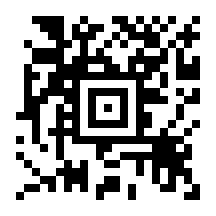
# Plain str: Latin-1 picked automatically, ECI 3 emitted.
AztecEncoder("Ich dachte, Sie wären kräftiger").save("latin1.png")
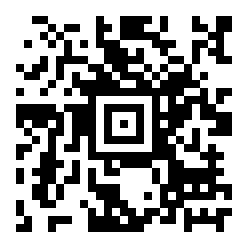
# Plain str: UTF-8 picked automatically, ECI 26 emitted.
AztecEncoder("€5 親切にしろ 🐻❄️").save("utf8.png")
If you pin an encoding that does not fit the input, the raised error suggests the encoding that would have worked:
>>> from pystrich.aztec import AztecData
>>> AztecData("Ich dachte, Sie wären kräftiger", encoding="ascii")
Traceback (most recent call last):
    ...
pystrich.exceptions.PyStrichInvalidInput: AztecData encoding ASCII cannot encode the input; try AztecData('Ich dachte, Sie wären kräftiger', encoding='iso-8859-1') or pass auto_encoding=True to select an encoding automatically.
Aztec Runes
Aztec Runes – tiny single-byte Aztec-like symbols – are not supported.
If you need them, you can build them on top of the geometry primitives
in pystrich.aztec.placement. Please file an issue on GitHub
describing what you need.
Anatomy
Aztec symbols combine a few fixed structural elements with a variable data area. The diagram below labels a full-range 5-layer symbol (37x37 modules); compact symbols use the same parts in a smaller core and skip the reference grid.
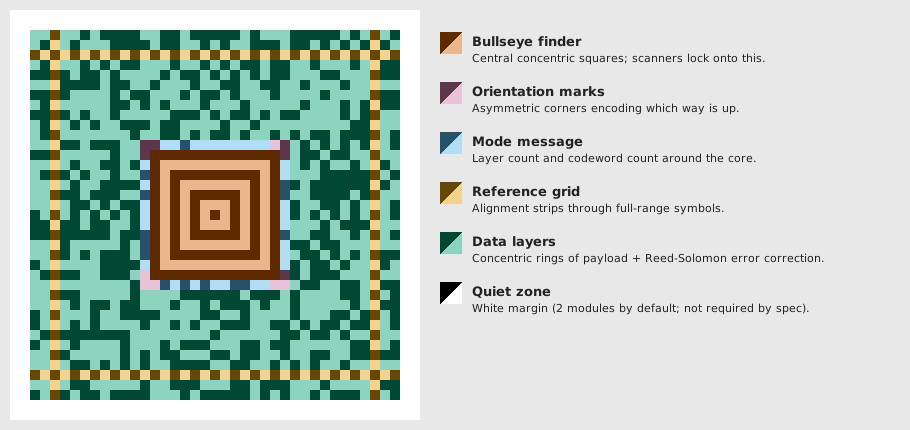
Bullseye finder – concentric central squares (9x9 in compact symbols, 13x13 in full-range). The Aztec’s signature pattern; scanners lock onto it from any rotation.
Orientation marks – L-shaped three-cell patterns at each corner of the core; the dark-cell count decreases clockwise (3, 2, 1, 0), encoding the symbol’s rotation.
Mode message – the outermost ring of the core (one cell wide), encoding the symbol’s layer count and codeword count so the decoder knows how big the data area is.
Reference grid – sparse strips of alternating dark and light cells that run across full-range symbols every 16 modules to keep scanners aligned. Compact symbols do not need them.
Data layers – concentric rings of modules carrying the payload plus Reed-Solomon error correction. The number of layers determines the symbol size.
Quiet zone – white margin around the symbol; not required by the spec.
API
- class AztecEncoder(text: str | AztecData, *, ecc: int = 23, symbol_kind: Literal['auto', 'compact', 'full'] = 'auto', layers: int | None = None, quiet_zone: int = 2)[source]
Bases:
Matrix2DEncoder[int]Encode text as an Aztec Code 2D barcode.
A plain
stris encoded with the narrowest character set that fits: ASCII, Latin-1 (ECI 3) or UTF-8 (ECI 26). Pass anAztecDatato pin the encoding explicitly.Typical use:
encoder = AztecEncoder("https://github.com/mmulqueen/pyStrich")
encoder.save("aztec.png")
- Variables:
matrix – 2D list describing the symbol prior to rendering.
quiet_zone – Width in modules of the white border applied at render time.
width – Pixel width of the most recently rendered image.
height – Pixel height of the most recently rendered image.
- get_dxf(cellsize: float = 1.0, inverse: bool = True, units: Literal['in', 'ft', 'mi', 'mm', 'cm', 'm'] | None = 'mm', *, mark_shape: MarkShape = MarkShape.SQUARE_CELLS) str[source]
Return a DXF (CAD) representation of the symbol.
- Parameters:
cellsize – Side length of one module in
units.inverse – If
True(the default), light modules are drawn as filled cells. IfFalse, dark modules are drawn, matching the normal appearance of the symbol.units – One of
"in","ft","mi","mm","cm"or"m", orNonefor Unspecified ($INSUNITS=0).mark_shape – How matched cells are grouped and drawn.
- Return type:
- get_eps(cellsize: int = 5, *, inverse: bool = False, mark_shape: MarkShape = MarkShape.HORIZONTAL_RUNS, dark_hex: str | RGBA | None = None, light_hex: str | RGBA | None = None) str[source]
Render the symbol and return EPS markup.
- Parameters:
cellsize – Side length in PostScript points of one module.
inverse – If
True, mark the light cells instead of the dark ones.mark_shape – How matched cells are grouped and drawn.
dark_hex – Dark-module colour as a 3-, 6- or 8-digit hex string or an
RGBA. Defaults to black.light_hex – Background colour as a 3-, 6- or 8-digit hex string or an
RGBA, opaque. Defaults to white.
- Return type:
Changed in version 0.16: Added
dark_hexandlight_hex.
- get_imagedata(cellsize: int = 5, *, dark_hex: str | RGBA | None = None, light_hex: str | RGBA | None = None) bytes[source]
Render the symbol and return PNG bytes.
- Parameters:
cellsize – Side length in pixels of one module.
dark_hex – Dark-module colour as a 3-, 6- or 8-digit hex string or an
RGBA. Defaults to black.light_hex – Background colour as a 3-, 6- or 8-digit hex string or an
RGBA. Defaults to white.
- Returns:
PNG-encoded image data.
- Return type:
Changed in version 0.16: Added
dark_hexandlight_hex.
- get_pilimage(cellsize: int = 5, *, dark_hex: str | RGBA | None = None, light_hex: str | RGBA | None = None) PILImage[source]
Render the symbol and return a Pillow image.
- Parameters:
cellsize – Side length in pixels of one module.
dark_hex – Dark-module colour as a 3-, 6- or 8-digit hex string or an
RGBA. Defaults to black.light_hex – Background colour as a 3-, 6- or 8-digit hex string or an
RGBA. Defaults to white.
- Returns:
The rendered symbol.
- Return type:
Changed in version 0.16: Added
dark_hexandlight_hex.
- get_rect_marks(*, inverse: bool = False, mark_shape: MarkShape = MarkShape.HORIZONTAL_RUNS) SymbolMarks[source]
Return the symbol’s dark cells as rectangles in module units.
- Parameters:
inverse – If
True, mark the light cells instead of the dark ones.mark_shape – How matched cells are grouped and drawn.
- Return type:
Added in version 0.18.
- get_svg(cellsize: int = 5, *, inverse: bool = False, mark_shape: MarkShape = MarkShape.HORIZONTAL_RUNS, dark_hex: str | RGBA | None = None, light_hex: str | RGBA | None = None) str[source]
Render the symbol and return SVG markup.
- Parameters:
cellsize – Side length in user units of one module.
inverse – If
True, mark the light cells instead of the dark ones.mark_shape – How matched cells are grouped and drawn.
dark_hex – Dark-module colour as a 3-, 6- or 8-digit hex string or an
RGBA. Defaults to black.light_hex – Background colour as a 3-, 6- or 8-digit hex string or an
RGBA. Defaults to white.
- Return type:
Changed in version 0.16: Added
dark_hexandlight_hex.
- get_terminal_art(*, ansi_bg: bool = True) str[source]
Render the symbol using Unicode half-block characters for terminals.
Each character represents two matrix rows and one column, producing approximately square cells in a typical fixed-width font and yielding a result that is scannable on screen.
- Parameters:
ansi_bg – If
True(the default), wrap each line in ANSI escape codes that force a white background and black foreground, making the symbol scannable regardless of the terminal’s colour scheme. Set toFalsefor plain output (correct only on a light-themed terminal).- Return type:
- png_dataurl(cellsize: int = 5, *, dark_hex: str | RGBA | None = None, light_hex: str | RGBA | None = None) str[source]
Render the symbol and return a PNG
data:URL string.- Parameters:
cellsize – Side length in pixels of one module.
dark_hex – Dark-module colour as a 3-, 6- or 8-digit hex string or an
RGBA. Defaults to black.light_hex – Background colour as a 3-, 6- or 8-digit hex string or an
RGBA. Defaults to white.
- Return type:
Added in version 0.15.
Changed in version 0.16: Added
dark_hexandlight_hex.
- save(filename: str | os.PathLike[str], cellsize: int = 5, *, dark_hex: str | RGBA | None = None, light_hex: str | RGBA | None = None) None[source]
Save the symbol as a PNG. Pass a
.pngfilename.- Parameters:
filename – PNG output path.
cellsize – Side length in pixels of one module.
dark_hex – Dark-module colour as a 3-, 6- or 8-digit hex string or an
RGBA. Defaults to black.light_hex – Background colour as a 3-, 6- or 8-digit hex string or an
RGBA. Defaults to white.
Changed in version 0.16: Added
dark_hexandlight_hex.
- save_eps(filename: str | os.PathLike[str], cellsize: int = 5, *, inverse: bool = False, mark_shape: MarkShape = MarkShape.HORIZONTAL_RUNS, dark_hex: str | RGBA | None = None, light_hex: str | RGBA | None = None) None[source]
Save the symbol as an EPS file. Pass an
.epsfilename.- Parameters:
filename – EPS output path.
cellsize – Side length in PostScript points of one module.
inverse – If
True, mark the light cells instead of the dark ones.mark_shape – How matched cells are grouped and drawn.
dark_hex – Dark-module colour as a 3-, 6- or 8-digit hex string or an
RGBA. Defaults to black.light_hex – Background colour as a 3-, 6- or 8-digit hex string or an
RGBA, opaque. Defaults to white.
Changed in version 0.16: Added
dark_hexandlight_hex.
- save_svg(filename: str | os.PathLike[str], cellsize: int = 5, *, inverse: bool = False, mark_shape: MarkShape = MarkShape.HORIZONTAL_RUNS, dark_hex: str | RGBA | None = None, light_hex: str | RGBA | None = None) None[source]
Save the symbol as an SVG file. Pass a
.svgfilename.- Parameters:
filename – SVG output path.
cellsize – Side length in user units of one module.
inverse – If
True, mark the light cells instead of the dark ones.mark_shape – How matched cells are grouped and drawn.
dark_hex – Dark-module colour as a 3-, 6- or 8-digit hex string or an
RGBA. Defaults to black.light_hex – Background colour as a 3-, 6- or 8-digit hex string or an
RGBA. Defaults to white.
Changed in version 0.16: Added
dark_hexandlight_hex.
- svg_dataurl(cellsize: int = 5, *, inverse: bool = False, mark_shape: MarkShape = MarkShape.HORIZONTAL_RUNS, dark_hex: str | RGBA | None = None, light_hex: str | RGBA | None = None) str[source]
Render the symbol and return an SVG
data:URL string.- Parameters:
cellsize – Side length in user units of one module.
inverse – If
True, mark the light cells instead of the dark ones.mark_shape – How matched cells are grouped and drawn.
dark_hex – Dark-module colour as a 3-, 6- or 8-digit hex string or an
RGBA. Defaults to black.light_hex – Background colour as a 3-, 6- or 8-digit hex string or an
RGBA. Defaults to white.
- Return type:
Added in version 0.15.
Changed in version 0.16: Added
dark_hexandlight_hex.
- class AztecData(*segments: str | MarkerT, encoding: EncT | None = None, auto_encoding: bool = False)[source]
Bases:
EncodableDataEncoder input with an explicit character-set choice.
AztecEncoderaccepts a plainstrand selects the encoding automatically. UseAztecDataonly to pin the encoding – for example, force"ascii"to reject non-ASCII input.Pass either
encoding=(one of"ascii","iso-8859-1","utf-8") orauto_encoding=True. Withauto_encoding=Truethe constructor picks the narrowest fitting encoding; anyencoding=argument is then ignored.